NJ TRANSIT Access Link customers in participating New Jersey regions can use an Uber voucher through the Access Link Riders Choice Pilot 2.0. This is not a general Uber discount. It is a limited public-mobility pilot for eligible Access Link customers, with rules about where a trip can start and end, when the voucher can be used, and how much it covers.
For riders and caregivers, the benefit is flexibility. An eligible rider may use Uber for a qualifying journey and pay only the amount that remains after the subsidy. Complete enrollment, keep account details accurate, and check the voucher before confirming a ride. This guide explains the essential steps.
What the Riders Choice Pilot offers
Access Link Riders Choice Pilot 2.0 lets eligible Access Link customers use participating transportation network companies, including Uber, for qualifying trips. According to Uber’s official Access Link pilot guide, the program can provide up to 10 Uber trips each month. Access Link subsidizes up to $20 per trip through an Uber voucher, and the Uber option is available seven days a week from 6:00 a.m. to 9:00 p.m.
The voucher applies to the first $20 of an eligible fare. If an eligible ride costs $19, the voucher can cover the full fare. If it costs $27, the voucher can cover the first $20 and the rider pays the remaining $7 with a personal payment method. A tip is optional, but it is not covered by the Access Link subsidy. Riders should also remember that the number of available pilot trips resets monthly, so it is worth checking the balance before relying on the voucher for an important trip.

Where the Access Link Uber voucher works
The most important rule is geographic. Both the pickup and destination must be within an eligible Access Link service area during pilot operating hours. If either location falls outside the qualifying area, the Uber voucher will not apply and the app will show the standard market price instead. Check both addresses carefully before confirming a ride.
Uber currently lists five participating Access Link regions. Region 2 includes Burlington, Camden, Gloucester, and Salem counties. Region 3 includes Atlantic, Cape May, Cumberland, and southern Ocean counties. Region 4 includes Mercer, Monmouth, Middlesex, and North Ocean counties. Region 5 includes Essex, Morris, Somerset, and Union counties. Region 6 includes Bergen, Hudson, and Passaic counties.
These county lists are a starting point, not a promise that every address will qualify. Service boundaries and pilot details can change. Before relying on the pilot for an appointment or work shift, review the voucher terms in the app and the NJ TRANSIT Access Link Q and A. NJ TRANSIT says it is working toward wider availability and continues to adjust the pilot using customer feedback.
Set up your account before the first trip
Enrollment comes first. Eligible Access Link customers must opt in to the Riders Choice Pilot through Access Link. After approval, Uber sends a text message or email with instructions for adding the voucher to the rider’s Uber account. Do not assume that opening the Uber app alone activates the benefit.
Account details matter. The name, phone number, and email address in the Uber account should match the Access Link profile. Uber notes that a matching phone number is preferred. Riders should also verify the Uber account and keep a personal payment method ready for overages and optional tips.
After accepting the voucher, open the Uber app, select Account, then Wallet, and look for Vouchers. Review the Access Link voucher before taking a ride. This screen is where a rider can confirm that the benefit is active, see the monthly trip balance, and review the current program parameters. Readers who need a refresher on how app-based ride tools work can also read our guide to Uber’s app technology and rider tools.

Book, check and pay for a qualifying ride
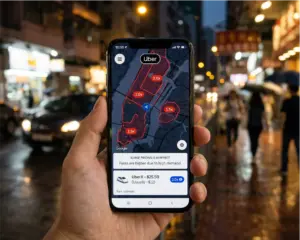
When you are ready to travel, enter the destination in the Uber app and confirm that the pickup and drop-off locations are correct. Select a ride option that fits your needs. Before tapping Choose, look for the Access Link voucher on the ride-options screen. For an eligible trip, Uber says the app should show the voucher as a payment method and display the regular price with a strikethrough. That is your signal that the subsidy is being applied.
If the voucher does not appear, stop and review the trip before booking. The route may fall outside the eligible service area, the ride may be outside pilot hours, the monthly trip balance may be exhausted, or the voucher may not be active. When the voucher does not apply, the rider can either change plans or continue at the normal market price charged to the personal payment method.
Plan for any amount above the subsidy. The app should show the rider’s expected payment before confirmation, which can prevent surprise charges. The voucher does not pay tips, so a tip will be charged separately if the rider chooses to leave one. For broader cost-planning ideas that do not affect pilot eligibility, see our Uber ride savings guide.
Riders without a smartphone may be able to request an Uber trip by calling 833-USE-UBER, provided they have a text-capable mobile device and an Uber rider account. Follow the prompts in English or Spanish. Because the pilot has specific eligibility rules, confirm that the voucher is active and the trip qualifies before depending on this option for time-sensitive travel.

Accessibility, support and smart planning
The pilot is designed to complement Access Link, not replace it for every trip. Keep regular Access Link service in mind when it is the better fit for your schedule, mobility needs, or travel area. If you travel with a service animal, Uber states that service animals may ride with their owners and that drivers may not deny service because of the animal.
For a problem with an Uber trip, open Activity in the Uber app, choose the affected trip, and use the Help and Safety options. For questions about Access Link enrollment or pilot participation, contact Access Link Customer Relations at 1-973-491-4297. Riders and caregivers should save important addresses, allow extra time for a first pilot trip, and verify the voucher on the ride-options screen rather than assuming it will apply automatically.
Quick checklist before you request
- Confirm that you are enrolled in the Access Link Riders Choice Pilot.
- Make sure your Uber account contact details match your Access Link profile.
- Check that the voucher appears in Wallet before you request a ride.
- Verify that both trip addresses fall within the eligible Access Link service area.
- Travel during the current pilot hours and review the fare before selecting Choose.
- Keep a personal payment method ready for overages and optional tips.
The NJ Transit Access Link Uber pilot can add useful flexibility for eligible riders, but the details make the difference. Treat the voucher as a restricted program benefit, not an automatic discount. By confirming enrollment, service-area eligibility, voucher status, and expected payment before every ride, riders and caregivers can use the pilot with greater confidence.