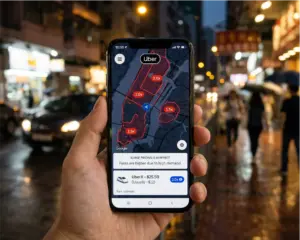
Uber Teen Live Video lets a linked guardian check in during a teen trip. When it is available and the driver has enabled it, the guardian can view a live stream from the driver’s front-facing phone camera when the trip starts.
Live video complements family expectations, safe pickup planning, and an emergency response plan. Parents, teens, and drivers should understand when it can be used, what each person sees, and why they must verify availability in the app before relying on it.
What Uber Teen Live Video does
Uber announced Live Video for Teen trips on August 25, 2026. If a driver has Live Video enabled, the parent or guardian linked to the teen account receives a push notification once the trip starts. A tap on that notification opens the live view. The stream uses the driver’s front-facing smartphone camera, allowing the linked guardian to see the teen’s ride in real time.
Live Video is designed around shared transparency. Uber says the teen and the driver are both notified when a guardian begins viewing the stream. The stream ends automatically when the trip is complete. Only the linked parent or guardian can view the live stream during an active trip, so this is not a public tracking or sharing tool. For Uber’s original product explanation, review the official Live Video announcement.
Families should set realistic expectations. A live view can help a guardian stay connected, but it does not guarantee that every trip will have a participating driver or that a guardian will need to watch every ride. Use it as an optional check-in tool alongside the account’s other safety features and normal family communication.

Set up the account and live view
Create the linked teen account
Live Video sits within the Uber Teen experience. To set up a teen account, a parent or guardian creates a Family profile in the Uber app, selects Family and teens, then invites the teen from their contacts. Uber says the teen must be at least 13 years old. The teen receives the invitation by text and completes required safety onboarding before requesting a first ride. The parent or guardian should also confirm that the payment information on the Family profile is current.
The official Uber Teen account page explains the current setup path and feature availability. Because screen labels, age rules, and locations can change, families should verify the instructions in the app at the time of setup rather than relying only on an earlier screenshot or article.
Know what happens at trip start
When Live Video is available and the driver has turned it on, the linked guardian receives a push notification after the teen trip begins. The guardian can tap to watch. The teen and driver receive a notification if the guardian starts the live stream. That notice is important because it makes the feature visible to the people inside the vehicle.
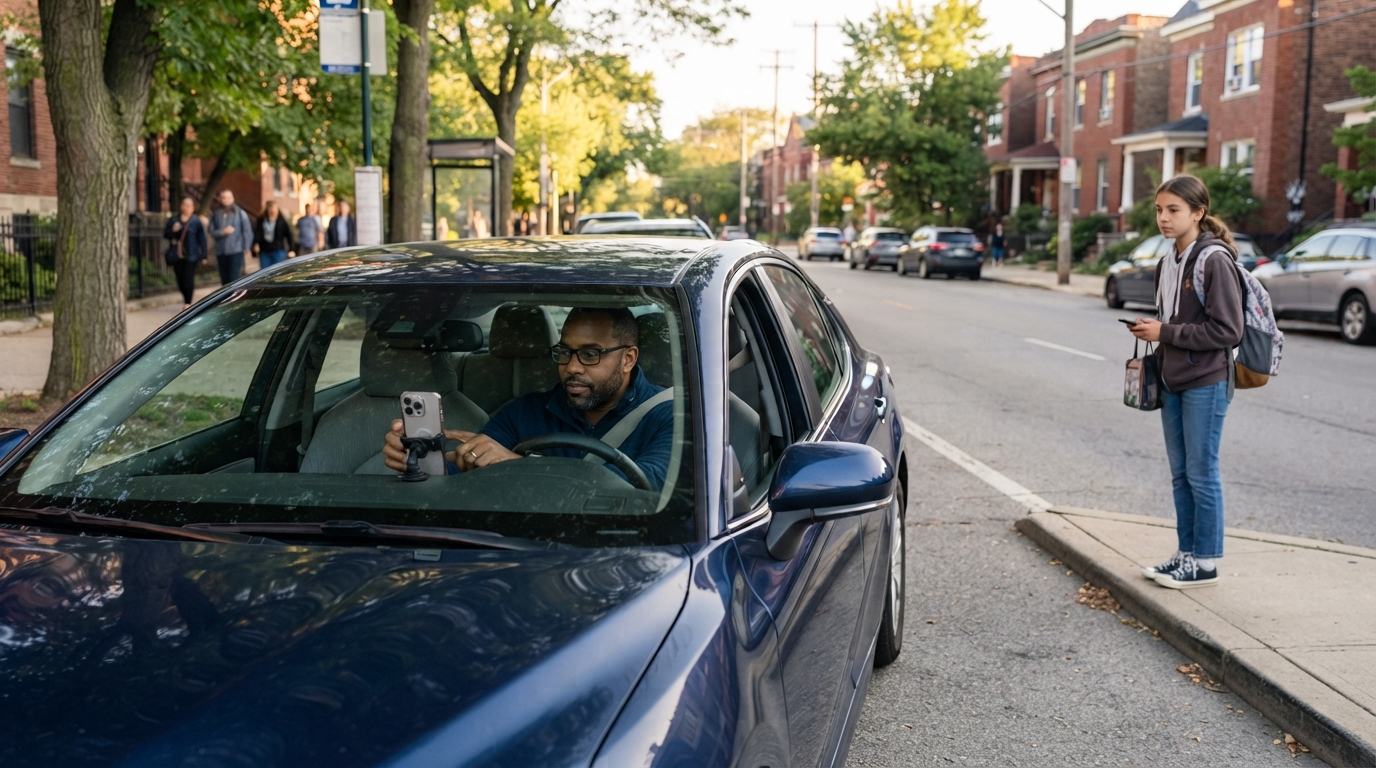
Parents can use the same preparation habits that make any app-based ride easier. Confirm the pickup address, make sure the teen knows the destination, and review the vehicle details before pickup. Our guide to Uber’s app technology and rider tools provides useful background on real-time trip information and rider-facing app features.

Privacy and recording rules
The live stream is encrypted. Uber says that after a trip ends, the driver, guardian, and teen cannot access the recording. Uber may review the encrypted recording only if a safety incident is reported as part of an investigation. This distinction matters. A guardian is viewing an active ride in real time, not receiving a replay that can be watched later at will.
ABC News reported that Uber stores the encrypted file for a limited period and automatically deletes it after 14 days unless it is connected to a safety report. The article also reported that Uber’s initial release covered nine U.S. markets. Read ABC News coverage of the launch for the initial-market list and the reported retention detail.
Families should explain the boundaries before the first ride. The camera view is not a way to record, share, or supervise every conversation. It is a safety-oriented check-in feature with notifications for the people in the car. Parents should also respect the teen’s privacy by agreeing in advance on when a live check-in is appropriate and what they should do if a concern arises.
What drivers and teens should expect
Drivers should not be surprised by a live view. The feature is relevant only when it is enabled for an eligible Teen trip, and the driver receives an in-app notice when a linked guardian begins viewing. ABC News reported that eligible drivers receive onboarding about the feature and can preview the camera angle in the Safety Toolkit when they are not on a trip. Drivers should follow current Uber instructions and keep their phone positioned safely so navigation remains usable.
Teens should know that the parent or guardian linked to the account may receive live-trip updates and, where available, may choose to view the stream. They should still use the app’s safety basics. Check the vehicle against the app, provide the required PIN, and report a concern through the available in-app tools. Uber says Teen accounts also include automatic live-trip tracking, PIN verification, and RideCheck. Audio Recording can be set up by the teen and then operates automatically for their trips.
For a broader look at the systems behind real-time trip information, see our article on Uber’s advanced technology systems. The Live Video guide remains focused on the practical choices that parents, teens, and drivers make before and during a Teen trip.
Check availability and plan ahead
At launch, Uber said Live Video was active in nine U.S. markets and that nationwide expansion was planned in the following weeks. The official announcement did not state that every teen account or every driver had the feature. That is why families should check the current app experience before a trip and avoid describing the feature as available nationwide unless Uber confirms it for their location.
Teen account availability is also separate from Live Video availability. Uber’s Teen account page lists locations where Teen rides are live, but a teen account in an eligible city does not by itself prove that the Live Video option will appear on a particular trip. Drivers need to have the feature enabled, and product conditions may change.
Quick family checklist
- Confirm that the teen account is linked to the correct parent or guardian.
- Review the teen’s destination, pickup details, and vehicle information.
- Check the app for current Teen account and Live Video availability.
- Agree on when a guardian may use a live check-in.
- Remind the teen to use PIN verification and in-app reporting tools.
- Recheck current Uber guidance before treating any rollout detail as permanent.
Uber Teen Live Video can give families another way to stay connected while preserving the teen’s growing independence. The most useful approach is straightforward: set up the account carefully, discuss how check-ins will work, confirm availability in the app, and use Live Video as one layer in a broader safety routine. Clear expectations help parents, teens, and drivers understand the feature before the first notification appears.